✦ NewiPhone & iPad100% on-device AI

Paper in.
PDF & summary out.

Point your iPhone at any document — receipts, contracts, notes, paperwork — and get a clean, searchable PDF in seconds. Then let on-device AI summarize it, without your files ever leaving your phone.

On-deviceAI summaries
SearchablePDFs, every scan
Freeto download
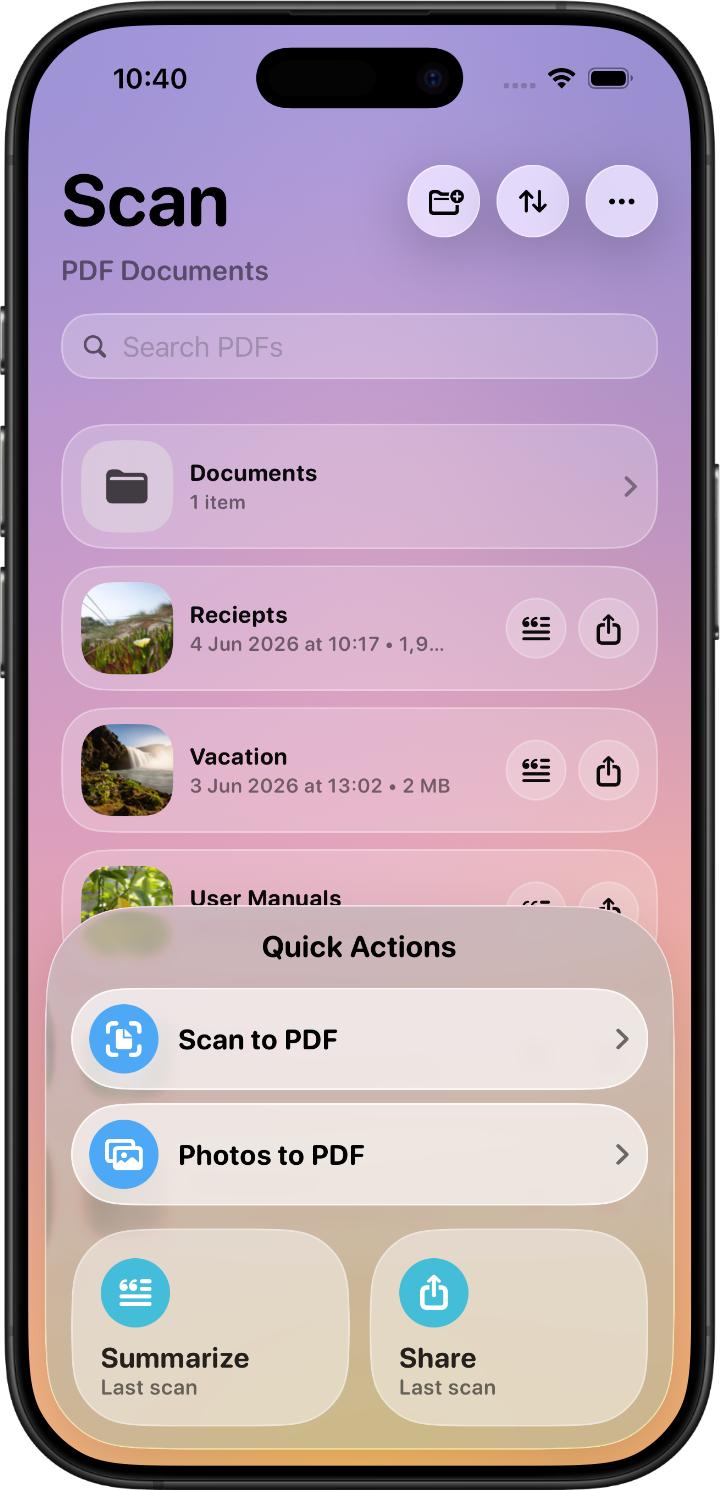
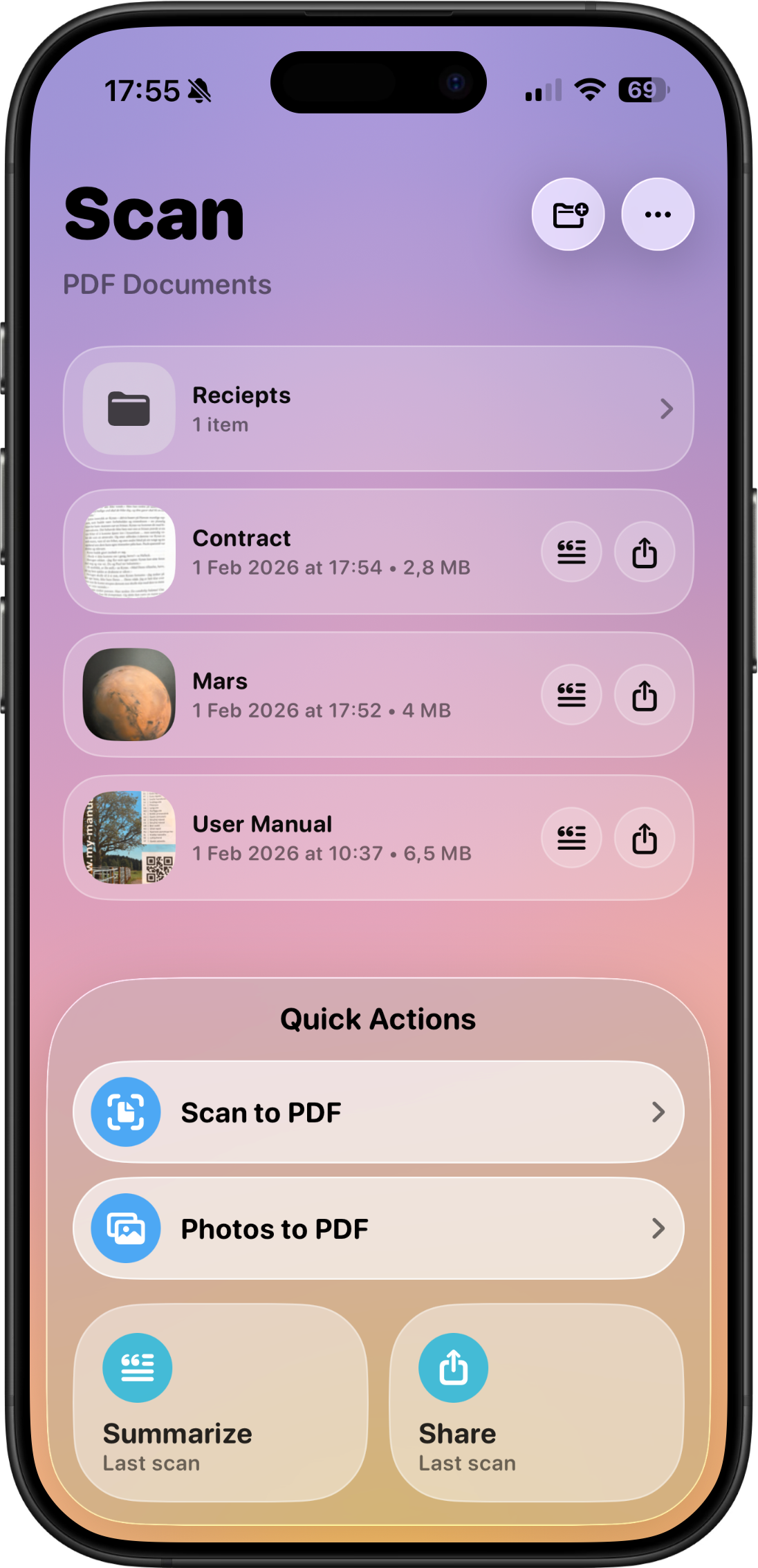
The Scan tab on iPhone: a PDF library with a Receipts folder and documents named Contract, Mars and User Manual, above Quick Actions for Scan to PDF, Photos to PDF, Summarize and Share
Scan

From paper to PDF in seconds

The camera does the tedious part: edges are detected automatically, perspective is corrected, and out comes a crisp, high-quality PDF ready to save or share.

  • Automatic edge detection — point, capture, done; the app straightens and crops for you
  • Photos to PDF — convert images straight from your camera roll into high-quality PDFs
  • Searchable by default — every scan works with Spotlight, Preview and Files, and VoiceOver can read it aloud
  • Quick Actions — scan, convert, summarize or share your last scan in one tap from the home view
Summarize

Long document, short story

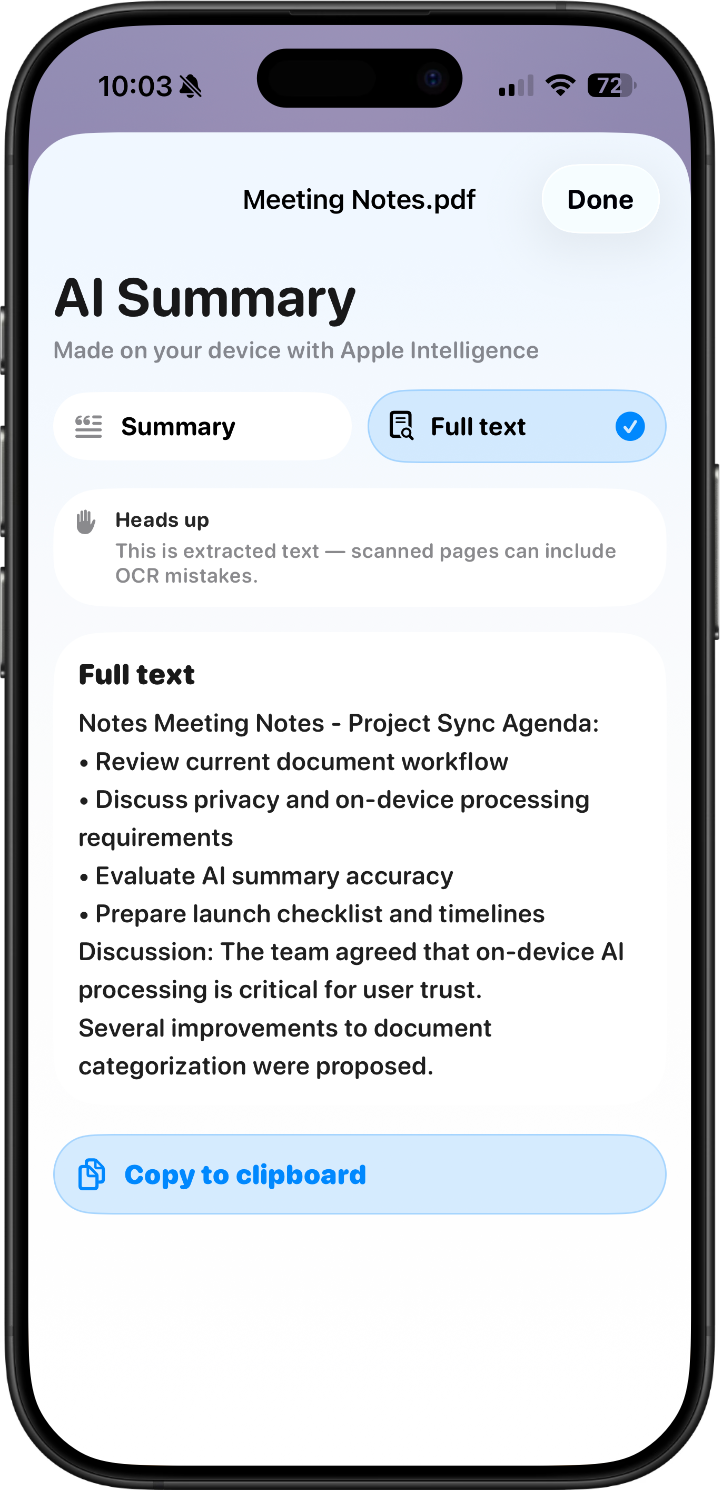
Built-in AI turns pages of dense text into a clear, concise summary — and it all happens on your iPhone. Nothing is uploaded, ever.

  • Instant AI summaries — understand a contract, letter, or report without reading every line
  • Extracted text — copy, review and search the text from your scans right in the summary view
  • Fully private — the AI runs locally on your device; your documents never touch a server
The PDF Scan & Summarize app on iPhone showing the Scan library (Summarize screenshot coming)
The PDF Scan & Summarize app on iPhone showing the Scan library (Organize screenshot coming)
Organize

A tidy home for every scan

Receipts in one folder, contracts in another. Rename, preview, sort and search your library — then share or export whenever you need to.

  • Folders — create folders and move PDFs between them to keep paperwork tidy
  • Sort & search — by newest, oldest, name or size, with library search to find any document fast
  • Share anywhere — send PDFs to other apps or export them in a tap
What it does

A scanner that respects your time

No ads, no accounts, no clutter — just a fast path from paper to organized, searchable, summarized PDFs.

📄

Scan to PDF

Receipts, contracts, letters, notes and invoices become clean, high-quality PDFs in seconds.

🧠

On-device AI

Summaries generated securely on your iPhone — no uploads, no external servers, no waiting on a network.

🔍

Searchable everything

Find any word inside any scan via Spotlight, the app's own search, or the summary view's extracted text.

🖼

Photos to PDF

Turn images from your camera roll into PDFs — perfect for whiteboards, receipts, and old paperwork photos.

🗂

Folders & sorting

Organize with folders, rename files, and sort by date, name or size — your choice is remembered.

Liquid Glass design

Apple's newest design language on iOS 26, with a clean native look on earlier versions.

iPhone iPad
Privacy first

Your documents are yours. Full stop.

Contracts, medical letters, financial paperwork — the things you scan are among your most sensitive data. This app is built so they never leave your hands.

📵

Nothing collected

The App Store privacy label says it plainly: the developer does not collect any data from this app.

🧠

AI stays home

Summaries are computed on your device. Your files are never uploaded or sent to external servers.

🚫

No accounts, no ads

Nothing to sign up for, nothing tracking you, nothing between you and your documents.

✓ APP STORE PRIVACY LABEL: DATA NOT COLLECTED

Your paperwork, handled.

Free to download with daily scans and summaries included. Go Pro for unlimited everything — yearly, or a one-time lifetime unlock.

Download on the App Store

Requires iOS 18.0 or later · English